


You can find these numbers in several places, including Settings, on the physical device, in the Finder or iTunes, and on the original packaging.
1. Go to Settings > General and tap About.
2. Look for the serial number. You might need to scroll down to find the IMEI/MEID, and ICCID.
3. To paste this information into Apple registration or support forms, touch and hold the number to copy.
1. Press and hold the device's power button until you see the device logo. You'll then see "Hello" in many languages.
2. Tap the Info button, in the bottom-right corner of the screen.
No Fees - Straightforward Cash Offers.
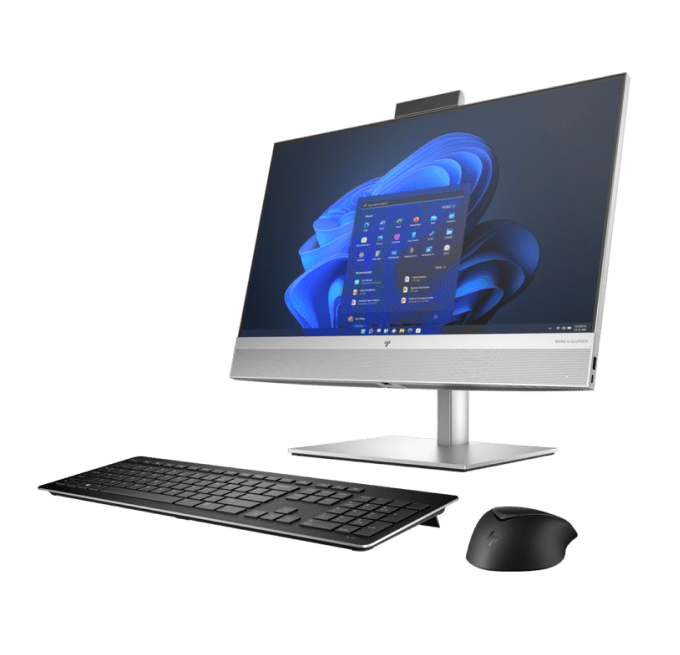

We buy select high-end desktops that are up to 2-3 years old. Entry-level budget builds lose value faster so we don't always take them. Please tell us more about your desktop so we can provide you with an estimate. Please remove passwords (OS/BIOS) and log out of all accounts. Bring the power cable and any peripherals you want to include. We can wipe your data in front of you. Valid photo ID required.
Contact us via Call, Text SMS or text in WhatsApp
Our professional staff will estimate the cost of your items.
We make a fair, accurate cash offer on the spot. Get cash immediately.
We offer you to go through a simple grading process so we can estimate a value for your current device.

Find the make and model on the sticker across the back panel or top of the case; a Dell OptiPlex, HP Pavilion, or a custom build will each be labeled there, along with a service tag or serial number. Open Task Manager or System Information and note the processor, amount of RAM, graphics card, and storage size and type. Send us those specs plus a few photos of the tower inside and out, and mention whether a monitor, keyboard, or Windows license comes with it.
Help finiding IMEI
Is your computer in good condition? Check our Desktop PC guidelines and examples.
Guidelines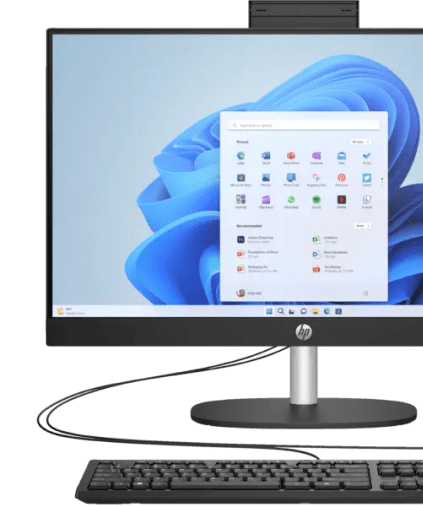
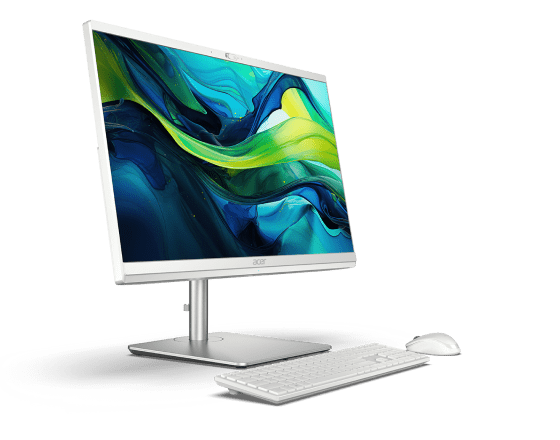
Text or WhatsApp clear photos of your Desktop PC for a free preliminary estimate. Deal Zone has two stores in Dorchester, about a 7-minute drive apart: Deal Zone Fields Corner (1578 Dorchester Ave, Boston, MA 02122) and Deal Zone Uphams Corner (17 Stoughton St, Boston, MA 02125). Both buy the same range of items, so bring your Desktop PC to whichever location is closer. Working, recent computers and repairable higher-value systems are considered. Obsolete or very low-value machines may be declined. We inspect the item in front of you and pay cash on the spot after you accept the offer.
Visit Us10+
Years of experience
Why sell your Desktop PC? Our in-depth knowledge of the computer and laptop resale market ensures that the Desktop PC you bring in receives a fair, precise evaluation. We pride ourselves on transparent transactions, careful in-person inspections and high customer satisfaction. Sell your Desktop PC to Deal Zone in Dorchester and enjoy a smooth, rewarding experience.
A desktop's value is driven by what's inside: the CPU generation, the graphics card, the RAM, and the SSD capacity, so a recent tower with a dedicated GPU is worth well more than an office box on onboard graphics, and we open it up to confirm the parts and that nothing has been swapped out. Both of our Dorchester stores buy the same range of items, so bring it to whichever is closer: Deal Zone Fields Corner, 1578 Dorchester Ave, Boston, MA 02122, or Deal Zone Uphams Corner, 17 Stoughton St, Boston, MA 02125. We power it up and test it in front of you and pay instant cash the same visit, with no auction fees and no shipping labels.
Let’s Make a DealA desktop does not lose value on a smooth line. It steps down when a new GPU generation ships, when a socket stops getting new processors, and when an operating system requirement leaves a board behind. Knowing which step your tower is sitting on is most of the timing decision.
Five timing checks before you bring the tower in:
Send the make and the full spec line by text or WhatsApp and you can have a preliminary number before you open the side panel. Bring the tower in and it is tested in front of you, with cash paid once you accept the offer, or trade-in credit if you would rather put the value toward something else in the store.
Grading a tower starts with a cold boot: does it POST, hold a desktop under sustained load, and pass a memory and drive check without dropping out?
Prebuilt machines read differently from custom builds: an OptiPlex or EliteDesk with a proprietary supply and board shape limits what a later owner can change, while a standard ATX build can be upgraded part by part.
A desktop is a set of parts that were sold separately, and the offer follows how complete that set is when it reaches the bench.
One thing worth checking before you load the tower into the car: machines that came out of an office fleet often keep a BIOS supervisor password or an asset lock, and a locked OptiPlex cannot be tested at all.

To ensure a fair valuation, we look at the desktop’s model, condition, specifications (CPU, GPU, RAM, storage), market demand, and current prices for new, refurbished, and used units.
Payment is immediate. Once we agree on a price and confirm the condition of your desktop, you get paid on the spot.
We boot the machine, confirm it posts and loads Windows, and test the ports, fans, and storage while checking the graphics card renders properly under load. Opening the case also lets us verify the listed CPU and GPU are actually installed and match the model.
Yes. A tower that won't boot, has a dead power supply, or is missing drives still has value in its processor, graphics card, and RAM, so we buy non-working desktops for parts at a price based on the salvageable components.
We can provide free estimates via text. Simply send us photos and the details of your desktop, and we’ll provide a fast, accurate quote.
Yes. We offer trade-in options. You can exchange your desktop for other products in our inventory and receive additional trade-in credit.
You’ll need a valid ID (driver’s license, state ID, liquor ID, passport, Visa, or Green Card).
We base our offers on current market value. Our aim is to provide fair and consistent payouts for all kinds of desktop computers.
 WhatsApp
 Send SMS