


You can find these numbers in several places, including Settings, on the physical device, in the Finder or iTunes, and on the original packaging.
1. Go to Settings > General and tap About.
2. Look for the serial number. You might need to scroll down to find the IMEI/MEID, and ICCID.
3. To paste this information into Apple registration or support forms, touch and hold the number to copy.
1. Press and hold the device's power button until you see the device logo. You'll then see "Hello" in many languages.
2. Tap the Info button, in the bottom-right corner of the screen.
No Fees - Straightforward Cash Offers.
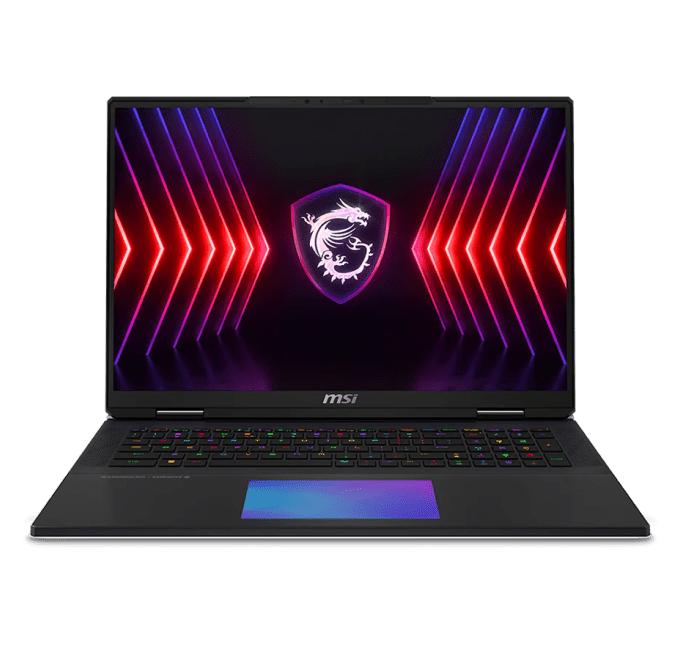

We buy MSI gaming laptops that are up to 5 years old. You can text us more about your laptop (for example photos, model code, or specs) so we can provide you with an estimate. Bring controllers, cables and chargers, complete sets get better offers. Consoles and laptops are tested in front of you. Please remove account passwords first. Valid photo ID required.
Contact us via Call, Text SMS or text in WhatsApp
Our professional staff will estimate the cost of your items.
We make a fair, accurate cash offer on the spot. Get cash immediately.
We offer you to go through a simple grading process so we can estimate a value for your current device.

Flip the laptop over and read the model name and serial number off the sticker on the bottom panel, where MSI prints the full model code. Send us that model along with the processor, how much RAM and storage it has, and which GPU is inside, which you can pull from the MSI Center app or the spec sticker. A couple of photos of the screen powered on and the chassis help us price it accurately.
Help finiding IMEI
Is your device in good condition? Check our MSI Laptop guidelines and examples.
Guidelines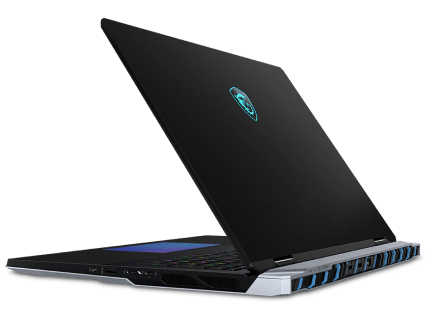
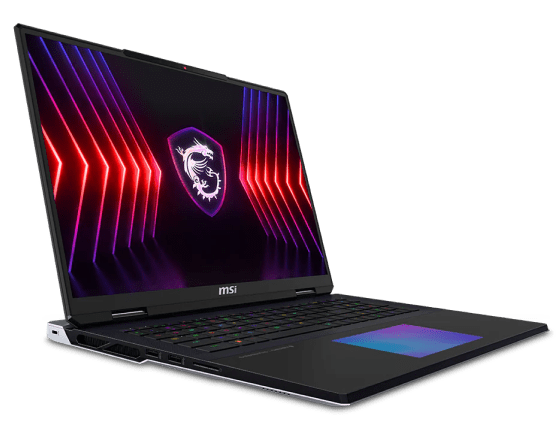
Text or WhatsApp clear photos of your MSI Laptop for a free preliminary estimate. Deal Zone has two stores in Dorchester, about a 7-minute drive apart: Deal Zone Fields Corner (1578 Dorchester Ave, Boston, MA 02122) and Deal Zone Uphams Corner (17 Stoughton St, Boston, MA 02125). Both buy the same range of items, so bring your MSI Laptop to whichever location is closer. Current- and recent-generation consoles, gaming laptops and GPUs are in the strongest resale demand. Low-demand or heavily obsolete items may be declined. We inspect the item in front of you and pay cash on the spot after you accept the offer.
Visit Us10+
Years of experience
Why sell your MSI Laptop? Our in-depth knowledge of the gaming hardware resale market ensures that the MSI Laptop you bring in receives a fair, precise evaluation. We pride ourselves on transparent transactions, careful in-person inspections and high customer satisfaction. Sell your MSI Laptop to Deal Zone in Dorchester and enjoy a smooth, rewarding experience.
An MSI laptop is valued on its GPU, processor, RAM, and storage, along with screen condition and how well the battery holds a charge, so we run it through diagnostics before quoting, and the charger and original box add to the offer. Both of our Dorchester stores buy the same range of items, so bring it to whichever is closer: Deal Zone Fields Corner, 1578 Dorchester Ave, Boston, MA 02122, or Deal Zone Uphams Corner, 17 Stoughton St, Boston, MA 02125. We test it in front of you and pay instant cash, no auction fees, no shipping.
Let’s Make a DealAn MSI gaming laptop is graded on four things: which model it actually is, how the GPU and the Cooler Boost fans behave once the machine is warm, whether the software lets a stranger switch it on, and what arrives in the bag with it. All four are settled at your kitchen table the evening before, not at our counter. We buy MSI gaming laptops up to 5 years old, and half an hour of prep the night before is usually the difference between a rough guess over text and a firm number in person.
Five things to do the evening before you bring the MSI in:
Come in with all of that done and the visit is short. The MSI is tested in front of you, the grade is explained out loud, and you are paid in cash once you accept the offer. Nothing is shipped, nothing is listed, and no fee comes out of the number you agreed to.
The check starts as soon as the laptop is on the counter. Photo ID first, then the machine is turned over and the underside sticker read - model name, MS- board code and serial, which tell us the chassis generation and the GPU tier it shipped with. Then it boots on your own charger.
You watch all of it. Once you accept the number, you are paid in cash on the spot.
Most of what a seller loses on an MSI is lost at home, the night before. These are the ones we see most.
Fix those before you leave and the visit becomes a short conversation about condition.

To guarantee a fair appraisal, we evaluate every MSI laptop based on its specific model, cosmetic condition, technical specifications, and current market value.
The payment is instant - cash in hand upon selling the laptop. Following the agreement on a price and after your MSI laptop's verification, you will be paid immediately in cash.
We boot it up and run hardware checks on the CPU, GPU, RAM, storage, and battery health, then stress the graphics card since MSI machines are built around gaming performance. We also confirm the screen has no dead pixels, the ports and keyboard work, and the system is wiped and signed out.
Yes, as long as the laptop is not too old. We work with MSI laptops that have hardware or software issues, but the payouts vary depending on the extent of the damage/problem.
Absolutely not. We pride ourselves on our transparency. There are no concealed costs or commissions. We do NOT need your social security number, and the income you earn from us is NOT reported to the IRS.
You can certainly obtain an estimate via text. For a complimentary appraisal, simply send the model and specs information of your machine. One of the simplest ways to do it is to snap a photo of the label that can be found on the bottom of the laptop.
Yes, we provide the possibility to trade in your MSI laptop towards the merchandise we carry while offering an additional trade-in value bonus.
A valid form of identification, such as a driver’s license, state ID, liquor ID, passport, Visa, or Green Card, is needed.
Our pricing depends on the market value of the laptop. While it helps us to know whether we can make an offer that’s in the ballpark of your expectations, it doesn’t influence our pricing decisions.
 WhatsApp
 Send SMS