


You can find these numbers in several places, including Settings, on the physical device, in the Finder or iTunes, and on the original packaging.
1. Go to Settings > General and tap About.
2. Look for the serial number. You might need to scroll down to find the IMEI/MEID, and ICCID.
3. To paste this information into Apple registration or support forms, touch and hold the number to copy.
1. Press and hold the device's power button until you see the device logo. You'll then see "Hello" in many languages.
2. Tap the Info button, in the bottom-right corner of the screen.
No Fees - Straightforward Cash Offers.
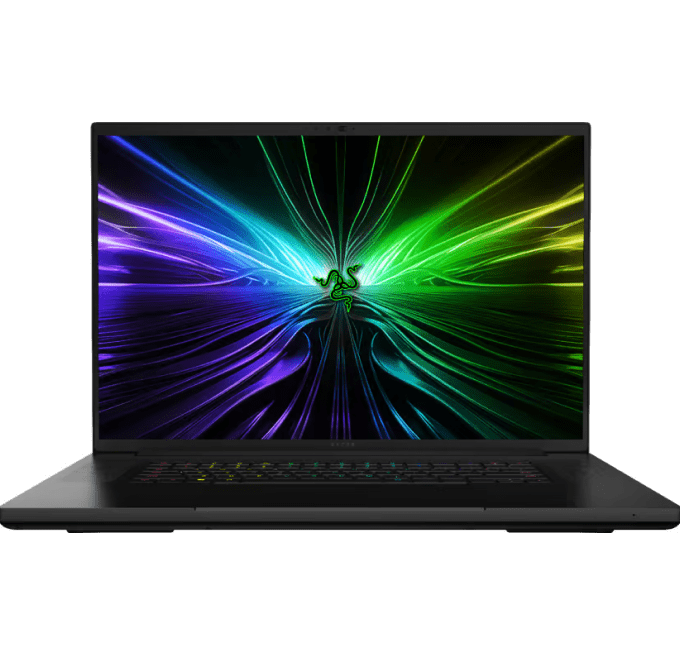

We buy Razer gaming laptops that are up to 5 years old. You can text us more about your laptop (for example photos, model code, or specs) so we can provide you with an estimate. Bring controllers, cables and chargers, complete sets get better offers. Consoles and laptops are tested in front of you. Please remove account passwords first. Valid photo ID required.
Contact us via Call, Text SMS or text in WhatsApp
Our professional staff will estimate the cost of your items.
We make a fair, accurate cash offer on the spot. Get cash immediately.
We offer you to go through a simple grading process so we can estimate a value for your current device.

Flip the Blade over and read the model line and serial number printed on the bottom panel, which tells us the exact Blade 14, 15, or 16 generation. Then send the config: the Intel or Ryzen CPU, the RTX GPU, how much RAM, and the SSD size, all of which you can pull from Windows under System, then About. A couple of photos of the lid, screen, and deck let us factor in wear before we quote.
Help finiding IMEI
Is your device in good condition? Check our Razer Blade Laptop guidelines and examples.
Guidelines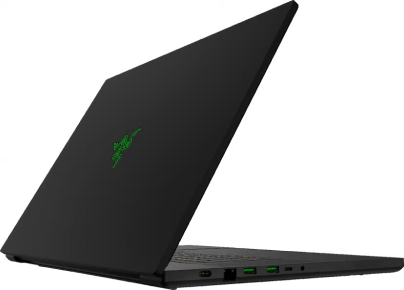
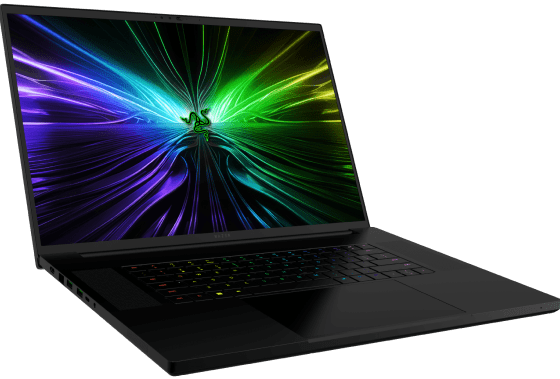
Text or WhatsApp clear photos of your Razer Blade Laptop for a free preliminary estimate. Deal Zone has two stores in Dorchester, about a 7-minute drive apart: Deal Zone Fields Corner (1578 Dorchester Ave, Boston, MA 02122) and Deal Zone Uphams Corner (17 Stoughton St, Boston, MA 02125). Both buy the same range of items, so bring your Razer Blade Laptop to whichever location is closer. Current- and recent-generation consoles, gaming laptops and GPUs are in the strongest resale demand. Low-demand or heavily obsolete items may be declined. We inspect the item in front of you and pay cash on the spot after you accept the offer.
Visit Us10+
Years of experience
Why sell your Razer Blade Laptop? Our in-depth knowledge of the gaming hardware resale market ensures that the Razer Blade Laptop you bring in receives a fair, precise evaluation. We pride ourselves on transparent transactions, careful in-person inspections and high customer satisfaction. Sell your Razer Blade Laptop to Deal Zone in Dorchester and enjoy a smooth, rewarding experience.
A Razer Blade's value rides on the GPU tier, the CPU generation, and the display, so a clean 240Hz or OLED panel with a healthy battery and no thermal throttling brings the strongest offer. We boot it, check the RTX card, the screen for dead pixels, the hinge, and the battery health before we quote. Both of our Dorchester stores buy the same range of items, so bring it to whichever is closer: Deal Zone Fields Corner, 1578 Dorchester Ave, Boston, MA 02122, or Deal Zone Uphams Corner, 17 Stoughton St, Boston, MA 02125. We test it in front of you and pay instant cash, no auction fees, no shipping.
Let’s Make a DealMost of the money swing on a Razer Blade comes from four things: which generation it actually is, whether the RTX GPU holds its clocks under load, how the anodized shell has aged, and whether the battery is still flat. The mistakes below cost sellers more than honest wear ever does.
Five habits that quietly shrink a Razer Blade offer:
Bring the Blade with some charge in it, the original adapter, and the underside label wiped clean enough to read. You will see each check as it runs and hear exactly which of these points moved the number before you decide anything.
Grading a Blade starts with the CNC-milled aluminum unibody, because that black anodized finish records every knock. We read the lid corners, the edge nearest the hinge and the palm rest either side of the trackpad, then work the hinge for play.
None of this rules a Blade out. It sets the grade, and you hear it while the tests are still on screen.
Razer ships the Blade with a proprietary barrel-plug adapter rated 230W, 280W or 330W depending on the GPU inside, and that brick shifts the figure more than any other accessory. A generic 65W USB-C charger boots the laptop but cannot feed the GPU.
Box and sleeve help a little. The adapter, the label and a cleared login help far more.

To guarantee a fair appraisal, we evaluate every Razer Blade laptop based on its specific model, cosmetic condition, technical specifications, and current market value.
The payment is instant - cash in hand upon selling the laptop. Following the agreement on a price and after your Razer Blade laptop's verification, you will be paid immediately in cash.
We boot into Windows and work through the hardware, running the RTX GPU under load and checking the keyboard and Chroma lighting, the ports, trackpad, and Wi-Fi, while reading the battery health and inspecting the display for dead pixels or backlight bleed. We also confirm the laptop is not locked to a BIOS password or a previous account.
Yes, as long as the laptop is not too old. We work with Razer Blade laptops that have hardware or software issues, but the payouts vary depending on the extent of the damage/problem.
Absolutely not. We pride ourselves on our transparency. There are no concealed costs or commissions. We do NOT need your social security number, and the income you earn from us is NOT reported to the IRS.
You can certainly obtain an estimate via text. For a complimentary appraisal, simply send the model and specs information of your machine. One of the simplest ways to do it is to snap a photo of the label that can be found on the bottom of the laptop.
Yes, we provide the possibility to trade in your Razer Blade laptop towards the merchandise we carry while offering an additional trade-in value bonus.
A valid form of identification, such as a driver’s license, state ID, liquor ID, passport, Visa, or Green Card, is needed.
Our pricing depends on the market value of the laptop. While it helps us to know whether we can make an offer that’s in the ballpark of your expectations, it doesn’t influence our pricing decisions.
 WhatsApp
 Send SMS