


You can find these numbers in several places, including Settings, on the physical device, in the Finder or iTunes, and on the original packaging.
1. Go to Settings > General and tap About.
2. Look for the serial number. You might need to scroll down to find the IMEI/MEID, and ICCID.
3. To paste this information into Apple registration or support forms, touch and hold the number to copy.
1. Press and hold the device's power button until you see the device logo. You'll then see "Hello" in many languages.
2. Tap the Info button, in the bottom-right corner of the screen.
No Fees - Straightforward Cash Offers.
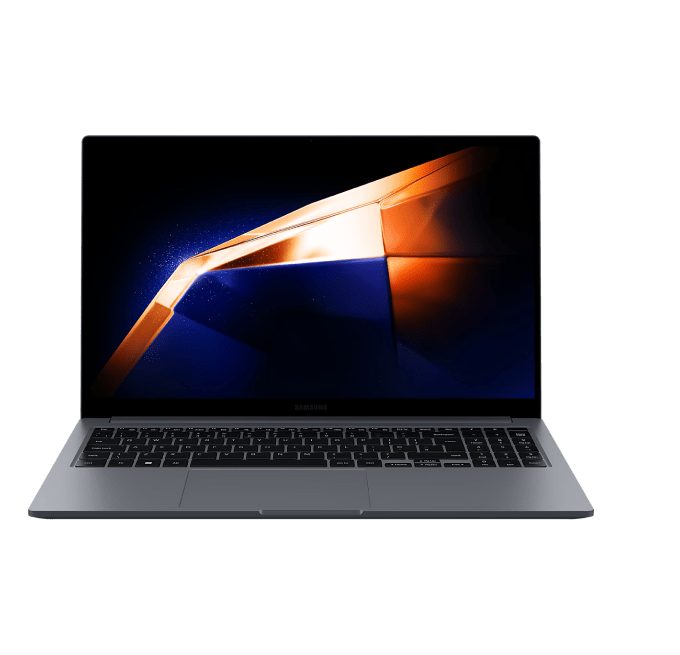

We buy Samsung laptops that are up to 5 years old. You can text us more info about your laptop (photo of the bottom sticker with the model code would be great) so we can provide you with an estimate. Please remove passwords (OS/BIOS) and log out of all accounts. Bring the charger, it raises the offer. We can wipe your data in front of you. Valid photo ID required.
Contact us via Call, Text SMS or text in WhatsApp
Our professional staff will estimate the cost of your items.
We make a fair, accurate cash offer on the spot. Get cash immediately.
We offer you to go through a simple grading process so we can estimate a value for your current device.

On a Samsung laptop, the model and serial sit on the label on the underside, and that identifies the exact Galaxy Book or Notebook line. Send that model number with the specs that set the price: the processor, the RAM, the storage size, and whether it has a discrete GPU. Add a photo or two of the screen on and the lid closed so we can judge the condition first.
Help finiding IMEI
Is your computer in good condition? Check our Samsung Laptop guidelines and examples.
Guidelines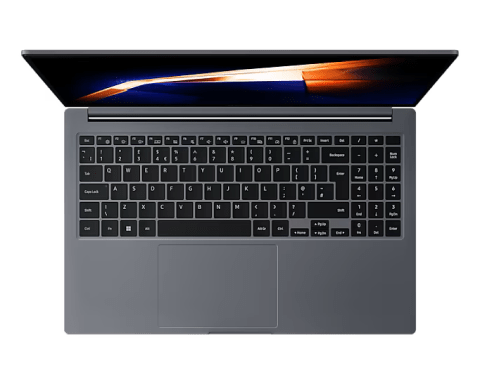
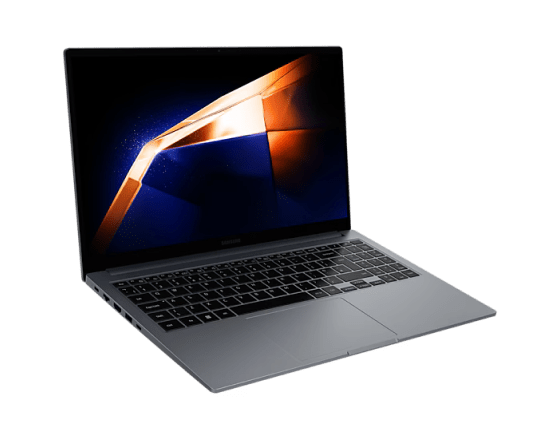
Text or WhatsApp clear photos of your Samsung Laptop for a free preliminary estimate. Deal Zone has two stores in Dorchester, about a 7-minute drive apart: Deal Zone Fields Corner (1578 Dorchester Ave, Boston, MA 02122) and Deal Zone Uphams Corner (17 Stoughton St, Boston, MA 02125). Both buy the same range of items, so bring your Samsung Laptop to whichever location is closer. Working, recent computers and repairable higher-value systems are considered. Obsolete or very low-value machines may be declined. We inspect the item in front of you and pay cash on the spot after you accept the offer.
Visit Us10+
Years of experience
Why sell your Samsung Laptop? Our in-depth knowledge of the computer and laptop resale market ensures that the Samsung Laptop you bring in receives a fair, precise evaluation. We pride ourselves on transparent transactions, careful in-person inspections and high customer satisfaction. Sell your Samsung Laptop to Deal Zone in Dorchester and enjoy a smooth, rewarding experience.
A Samsung laptop's offer is set by its processor generation, RAM, SSD size, and screen condition, so we boot it up, check the battery, and confirm it has been signed out of your Samsung and Microsoft accounts. We run those checks in front of you and hand over instant cash on the spot, with no auction fees and no shipping. Both of our Dorchester stores buy the same range of items, so bring it to whichever is closer: Deal Zone Fields Corner, 1578 Dorchester Ave, Boston, MA 02122, or Deal Zone Uphams Corner, 17 Stoughton St, Boston, MA 02125.
Let’s Make a DealA Galaxy Book that arrives charged, unlocked and with its own charger in the bag moves across the bench in a few minutes. One that arrives flat and still tied to a Samsung Account has to be graded around the gaps. None of the work below needs tools or a technician - it is an evening job at the kitchen table, done the night before you drive over.
Five things worth doing at home the evening before you come in:
Do those five and the bench work becomes confirmation rather than discovery, which is what keeps a texted estimate and the in-person figure close together. If the prep turns up a problem - a ghosted panel, a trackpad that has started to sit proud - photograph it and send it along with the model code. A fault described in advance is priced as a known quantity.
The inspection starts with the laptop closed. We read the bottom sticker first, because the NP model code names the panel, chassis and generation before anything is switched on.
Then it boots. Samsung Settings should open, the battery should report a sane cycle count and health figure, and the machine should hold its clock speed through a short load.
Most deductions on Galaxy Book paperwork come from a short list, and several follow from how these machines are built.
None of these on their own ends the sale - damaged and parts-only Samsung laptops are still bought, with the figure moving to match the repair. Flag the fault with your model code and it gets priced as a known quantity.

We assess each Samsung laptop based on its model, condition, specifications, market demand, and current retail and preowned prices, ensuring a fair valuation.
We pay cash on the spot. After conducting a brief diagnostics of your laptop in-store, we pay you cash immediately upon having you sign the bill of sale.
Our experts conduct thorough, quick, and hardware and software diagnostics.
Yes, we buy Samsung laptops in various conditions, including "for parts or repair," with payouts depending on the seriousness of the damage or software issues.
No, we operate with full transparency. There are no hidden fees or commissions. Also, we don’t need your social security number; the money you receive from us is NOT reported to the IRS as your income!
Yes, estimates can be provided over text. Just send some photos of your Samsung laptop to get a free estimate.
Yes, we offer the option to trade your Samsung laptop for other items in our inventory. You receive additional trade-in credit with this option.
You’ll need a valid driver’s license, state ID, liquor ID, passport, Visa, or Green Card.
 WhatsApp
 Send SMS